
Disclosure: This article contains affiliate links. If you buy through them, we may earn a small commission at no extra cost to you. We only recommend services we believe are genuinely useful for travelers to Japan.
In a hurry? The short answer:
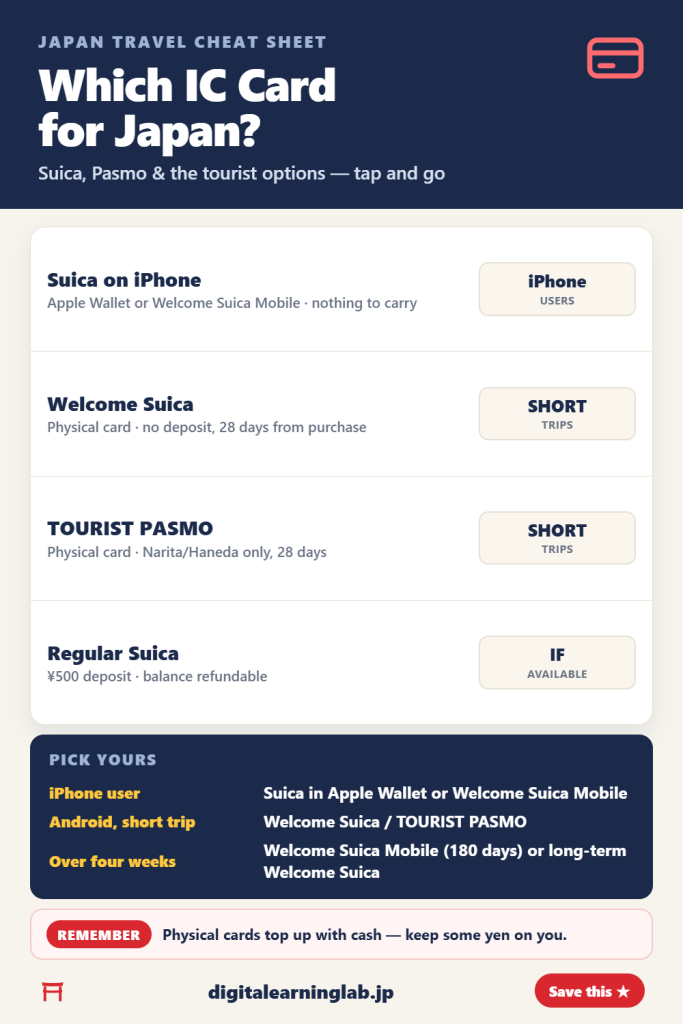
- iPhone user: add a Suica to Apple Wallet, or use the Welcome Suica Mobile app
- Android, short trip: Welcome Suica or TOURIST PASMO at the airport
- Staying over four weeks: Welcome Suica Mobile (180 days) or Welcome Suica (long-term use)
- Remember: keep some yen cash for topping up physical cards
Choosing a Japan IC card for tourists comes down to your phone and how long you’re staying. One of the simplest ways to get around is with one of the IC cards in Japan — a rechargeable tap-to-pay card for trains, buses, and even convenience stores. Instead of buying a paper ticket for every ride, you just tap and go. But in 2026 there are several versions to choose from, and the names (Suica, PASMO, Welcome Suica, TOURIST PASMO, Suica on iPhone) can be confusing. This guide explains each one so you can pick the right card.
Sorting out your arrival? Pair this with our Narita & Haneda to Tokyo guide and grab your IC card the moment you land.
What is an IC card, and why you need one
An IC card is a prepaid, rechargeable smart card. You load it with yen, then simply tap it on the reader at station gates and bus scanners — the fare is deducted automatically. You can also use it to pay at shops that display the IC mark, and JR East notes that Welcome Suica works at vending machines and coin lockers too. It saves you from working out fares, feeding coins into machines, or fumbling with paper tickets in a busy station. For most travelers, it makes getting around much simpler.
Suica vs Pasmo: what’s the difference?
Short answer: for riding trains and buses, not much. Suica is issued by JR East and PASMO by PASMO Co., Ltd., and both are part of Japan’s nationwide IC card network — so you tap in and out the same way on trains and buses that accept IC cards, and pay at shops that show the IC mark. For tourists, the real differences are in the visitor versions: where you can buy them and how you top them up.
| Welcome Suica | TOURIST PASMO | |
|---|---|---|
| Where to buy | Narita and Haneda (Terminal 3) airport stations, plus JR East Travel Service Centers at Tokyo, Shinjuku, Shibuya, Ikebukuro, Ueno and other stations | Narita and Haneda airports only |
| Price | ¥1,000 to ¥10,000 | ¥1,000 to ¥10,000 at Haneda; ¥2,000 at Narita |
| Deposit | None | None |
| Valid for | 28 days from the date of purchase | 28 days from the date of purchase |
| Balance refund | No | No |
| Top-ups | Yen cash only, at station machines and Seven Bank ATMs | Cash at station machines; on buses (¥1,000 notes only); at convenience stores and some shops |
Bottom line: pick whichever is easier to buy where you land. Both are sold at Narita and at Haneda; if you’re starting from a major JR station such as Tokyo or Shinjuku, Welcome Suica is the one you can buy there. The bigger choice is which version suits your phone and trip length.
Your options in 2026
| Option | Best for | Notes |
|---|---|---|
| Welcome Suica (physical) | Short trips, any phone | No deposit, valid 28 days from purchase |
| TOURIST PASMO (physical) | Short trips, any phone | Narita/Haneda airports only, valid 28 days from purchase |
| Suica on iPhone (Apple Wallet / Welcome Suica Mobile) | iPhone users | Nothing to carry; needs an eligible payment card in Apple Wallet |
| Regular Suica | Longer stays, if you can find one | ¥500 deposit, balance refundable |
Welcome Suica (physical card)
A tourist version of Suica made for foreign visitors. It has no deposit and is valid for 28 days counting from the day you buy it (not the day you first use it). You can pick it up at the airport stations for Narita Terminals 1–3 and Haneda Terminal 3 and at JR East Travel Service Centers in stations such as Tokyo, Shinjuku, Shibuya, Ikebukuro and Ueno. The catch: any remaining balance isn’t refundable, and top-ups are yen cash only, so top up small amounts as you go.
TOURIST PASMO (physical card)
PASMO’s own tourist card, sold only at Narita and Haneda airports — from ticket machines and the Keikyu Tourist Information Center at Haneda, and from the Skyliner & Keisei Information Centers at Narita. It works much like Welcome Suica: no deposit, valid for 28 days from purchase, and no refunds. The main difference is that TOURIST PASMO is airport-only, while Welcome Suica can also be found at some Tokyo station counters. If you have an Android phone and want a physical card, either of these is your simplest choice.
Suica on iPhone (Apple Wallet or Welcome Suica Mobile)
If you have an iPhone 8 or later, you can add a new Suica straight to Apple Wallet — no physical card needed — as long as you’re on the latest iOS, use an Apple Account with two-factor authentication, and have an eligible payment card in Wallet. Express Mode turns on automatically for your first transit card, so you just tap your phone at the gate. JR East also offers the Welcome Suica Mobile app for iPhone: it issues a Suica that’s valid for 180 days, lets you top up in the app, and can book Shinkansen seats. Its remaining balance isn’t refundable, and in some countries you can only set it up after you arrive in Japan. For many iPhone users, a Suica on the phone is the most practical choice.
Regular Suica
A regular Suica needs a ¥500 deposit, and its remaining balance can be refunded, unlike the tourist cards. We couldn’t confirm where regular cards are currently on sale, so don’t build your plan around finding one.
How to charge (top up) your card
Keeping your card loaded is easy once you know the rules:
- At station machines: select “charge,” insert your card, and pay. Tip: physical cards are topped up with yen cash (Welcome Suica can’t be topped up by credit card), so keep some on hand.
- At convenience stores: Welcome Suica can be topped up at Seven Bank ATMs (found in 7-Eleven and other stores), and TOURIST PASMO at convenience stores and some shops — ask the staff.
- On your iPhone: top up a Suica in Apple Wallet or the Welcome Suica Mobile app.
- How much? There’s no need to load a lot at once. Welcome Suica and TOURIST PASMO balances aren’t refundable, so topping up small amounts as you go is the safer approach.
Carrying coins for top-ups? A small coin purse keeps your yen organized — see our guide to coin purses for Japan travel and why cash still matters here.
Which IC card should you get?
- iPhone user? Add a Suica to Apple Wallet or set up Welcome Suica Mobile — no card to pick up.
- Android user, short trip? Grab a Welcome Suica or TOURIST PASMO at the airport.
- Staying over four weeks? A Welcome Suica or TOURIST PASMO only lasts 28 days, so on iPhone use Welcome Suica Mobile (valid 180 days). JR East also lists a Welcome Suica (long-term use) valid for up to six months — check JR East’s site for where to get it.
- Want zero fuss on arrival? Set up mobile if you can; otherwise pick up a physical card at the airport counter right after landing.
Handy things to know about IC cards in Japan
- One card works in many parts of Japan — look for the IC mutual-use mark at gates and shops. Note that Welcome Suica can’t be used for a single journey across regions (for example, Tokyo to Sendai), and it can’t be used at shops in the PiTaPa area.
- Welcome Suica and TOURIST PASMO can hold a maximum balance of ¥20,000.
- You can use IC cards for more than transport: JR East says Welcome Suica can also be used at vending machines, coin lockers, convenience stores and restaurants.
- Staying connected makes topping up and navigating far easier — see our best eSIM for Japan guide.
Frequently asked questions
Can I use one IC card for my whole trip?
Yes, within its validity period. Suica, PASMO and other IC cards work on trains, buses and shops that display the nationwide IC mutual-use mark, but PASMO notes it isn’t accepted on all train and bus networks in Japan. Welcome Suica also can’t be used for a single journey that crosses from one region to another (for example, Tokyo to Sendai).
Do IC cards work on my Android phone?
Welcome Suica Mobile is iPhone-only, so on Android the simplest choice is a physical Welcome Suica or TOURIST PASMO.
Can I get a refund on my balance?
The remaining balance on a regular Suica can be refunded — ask station staff. Welcome Suica, TOURIST PASMO and Welcome Suica Mobile balances are non-refundable, so try not to overload them.
Can I charge my card with a foreign credit card?
Welcome Suica can only be topped up with yen cash, and TOURIST PASMO is topped up with cash at station machines. For a Suica on iPhone, you need an eligible payment card in Apple Wallet to add the card; we couldn’t confirm whether every foreign-issued card can be used for top-ups, so keep some yen as a backup.
Final thoughts
An IC card turns many train and bus rides into a single tap. iPhone users can set up a Suica on their phone; everyone else can grab a Welcome Suica or TOURIST PASMO at the airport. Sort it out early, keep a little cash for top-ups, and getting around will be simple.
Quick pick: iPhone → Suica in Apple Wallet or Welcome Suica Mobile. Android or want a card → Welcome Suica / TOURIST PASMO at the airport. Keep some yen cash for top-ups.