Sakura Mobile Home Internet (2026): Home WiFi vs Fiber, Prices and Setup
Disclosure: This article contains affiliate links. If you sign up through them, we may earn a commission at no extra cost to you. We only recommend services we believe are genuinely useful for people living in or visiting Japan.
In a hurry? Sakura Mobile home internet in five points:
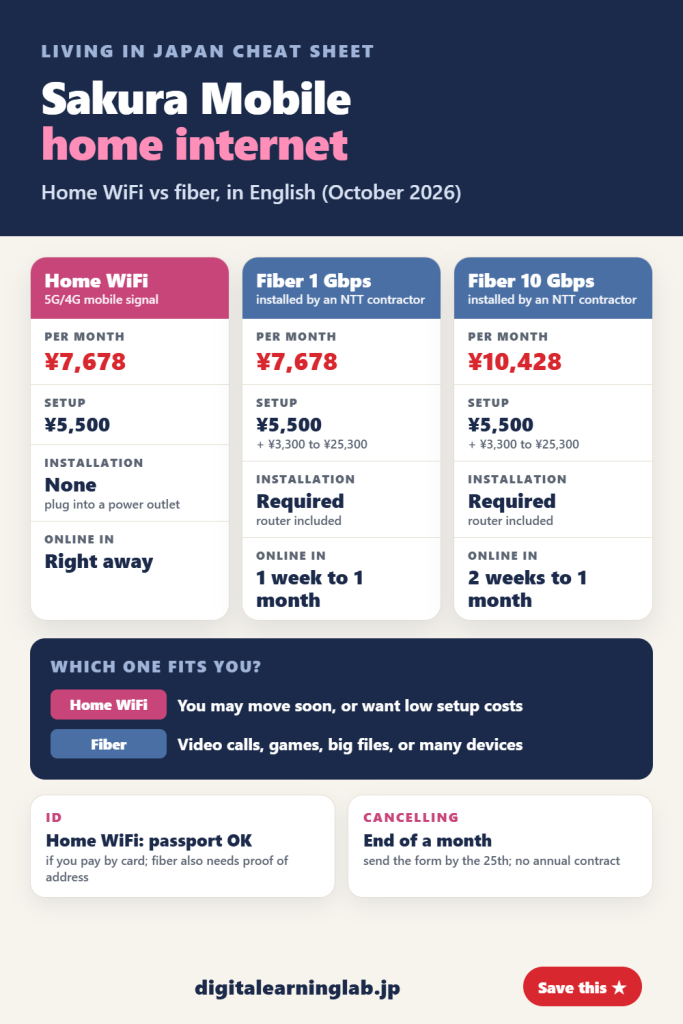
- Three plans: Home WiFi and Fiber 1 Gbps both cost ¥7,678 a month. Fiber 10 Gbps costs ¥10,428.
- Home WiFi needs no installation. You plug the device into a power outlet and it connects over 5G/4G mobile signal. The setup fee is ¥5,500.
- Fiber needs an installation by a contractor hired by NTT. It takes 1 week to 1 month (2 weeks to 1 month for 10 Gbps), and the price page lists the setup cost as ¥5,500 plus ¥3,300 to ¥25,300.
- ID: for Home WiFi, a passport is enough if you pay by card. Fiber also needs proof of the address where the line goes in.
- Cancelling: no annual contract. Contracts end at the end of a month, and you send the termination form by the 25th.
Besides its SIM plans, Sakura Mobile sells home internet that you can set up and manage in English. It has three plans: Home WiFi, which runs on the mobile network, and fiber at 1 Gbps or 10 Gbps. This guide covers what each one costs, what you need to apply, how installation works, and what happens when you move or leave Japan. We checked Sakura Mobile’s own website, help pages and fiber service terms on October 19, 2026. Prices are in yen with tax included.
Sakura Mobile home internet prices
| Home WiFi | Fiber 1 Gbps | Fiber 10 Gbps | |
|---|---|---|---|
| Per month | ¥7,678 | ¥7,678 | ¥10,428 |
| Setup | ¥5,500 | ¥5,500 + ¥3,300 to ¥25,300 | ¥5,500 + ¥3,300 to ¥25,300 |
| Installation | None | Required | Required |
| Time to get online | Right away | 1 week to 1 month | 2 weeks to 1 month |
| Coverage | Most of Japan | All of Japan | Majority of Japan |
Sakura Mobile says discounts are available for new and existing Sakura Mobile customers; ask Sakura Mobile for the current amounts before you apply. For fiber, Sakura Mobile provides a wireless router free of charge, along with the internet provider (ISP), so you don’t need to buy your own router. You can use your own, but Sakura Mobile can’t guarantee it will work or give official support, and there is no discount for doing so.
Home WiFi and Fiber 1 Gbps cost the same each month, so the choice between them comes down to installation, speed and how long you will stay at your address.
See Sakura Mobile home internet plans →
Home WiFi or fiber: which one fits you?
Home WiFi is a device that uses 4G/5G mobile signal. You plug it into a power outlet and connect by WiFi or an Ethernet (LAN) cable; the network name and password are on a sticker on the underside of the device. The connection is unlimited, but speed and coverage depend on the mobile signal where you live and on your building. Sakura Mobile says it can deliver Home WiFi to your address within a few days and that it ships within a day after your application is approved.
Fiber brings an optical line into your home. Sakura Mobile rates it higher than Home WiFi for speed and stability, and says it has faster uploads because it doesn’t rely on mobile networks. That matters for video calls and online games. 1 Gbps is the top speed of the network service, and actual speeds aren’t guaranteed.
| Your situation | What Sakura Mobile suggests |
|---|---|
| You may move out soon | Home WiFi. Fiber needs a new installation if you move. |
| You live in a share house or dormitory, or want low setup costs | Home WiFi |
| You make video calls, play online games or send large files | Fiber |
| Several people or many devices share the connection | Fiber; 10 Gbps for many devices |
| You use a VPN | Fiber 1 Gbps. Some VPNs don’t work with the 10 Gbps plan. |
Our take: if you have just arrived and might change apartments within a year, Home WiFi is the easier start. If you have a long lease and work from home, fiber is worth the wait and the installation fee.
What you need to apply
For Home WiFi, you don’t need to be a resident of Japan to apply. You apply online on Sakura Mobile’s order form, and Sakura Mobile offers a free online consultation in English.
Home WiFi: you can use your passport as ID if you pay by card.
Fiber: Sakura Mobile checks both your identity and the address where the line will be installed. Send one of these:
- Residence card, both sides, showing the installation address. If it still has your old address, add your rental or purchase contract, or send your updated card at least 3 days before the installation date.
- Passport plus a utility bill issued within the last 3 months (electricity, water, or gas provided by the government; propane gas bills aren’t accepted) or your rental or purchase contract.
- Japanese driver’s license, both sides. Licenses from other countries aren’t accepted.
- My Number Card, front side only.
Photos must be in color, show the whole document, and be taken directly (no photocopies or scans). Sakura Mobile needs the documents at least 3 days before the installation date, or the installation is postponed. If you live with family, the contract can be in your name even if a relative holds the lease. If you share with friends, Sakura Mobile asks the person who owns or rents the property to sign up.
How fiber installation works
A contractor hired by NTT does the work, pulling the fiber in from the utility pole or from fiber equipment already in your building. Even without an internet port in your room, many buildings already have fiber wiring inside, and installation can be as simple as adding a port, with no screws or drilling. Most of the time, the cable goes through an air conditioning duct or an air vent. When there is no existing hole, the team makes one smaller than 10 mm and caulks it to prevent water leaks.
If your building has no fiber equipment and the line comes from the outside telephone line, Sakura Mobile contacts building management for approval before making any changes, and without approval no screws or holes are used. It says building management conditions don’t stop the installation in 97% of cases. On the day, it can interpret between English and Japanese over the phone.
When you pay: the setup and installation fees are charged after the installation is completed. If the installation can’t be done, you pay no fees.
Need internet while you wait? Sakura Mobile can rent you a pocket WiFi until the installation, usually delivered in 1 to 2 days. If you pay by card, your home internet contract and monthly fee start on the day the pocket WiFi arrives, with the first month prorated. You post the pocket WiFi back within 5 days of the installation date, using the return envelope sent with it. Each late day adds a daily fee.
Paying
- Credit or debit card: bills are post-paid, so each bill comes one month after the month it covers.
- Cash at a convenience store (Smart Pit): you pay a deposit of two months’ fees. It covers your last two bills, so on home internet there is nothing to refund at the end.
Cancelling and returning the equipment
- No annual contract, and Sakura Mobile lists no early-termination penalty for Home WiFi. To cancel, you send the termination form in My Page.
- Contracts end only at the end of a month. Send the form by the 25th and it ends that month; on the 26th or later, it ends the following month. The last bill comes one month after the contract ends.
- Home WiFi: return the device, AC adapter, Ethernet cable and box within 5 days of the end of the contract. The return label is prepaid, and you can drop the package at a Japan Post office or at Lawson, Ministop or Seicomart. Missing items mean a loss fee, and so can a device returned without being cleaned.
- Fiber: return the NTT equipment (on the 1 Gbps plan, the modem, its AC adapter and the fiber cable) within 1 month of the end of the contract. NTT sends a prepaid return kit 1 to 2 weeks after you submit the form. Equipment that isn’t returned can cost up to ¥20,000. On the 1 Gbps plan, the TP-Link router is yours to keep.
Changed your mind right after starting? Under Japan’s initial contract cancellation rule, you can cancel within 8 days (the start date counts as day 1) by emailing contact@sakuramobile.jp. For Home WiFi, you still pay a ¥3,300 handling fee and the prorated monthly fee. For fiber, you pay a ¥5,500 handling fee, the installation fee (¥22,000 for a physical installation or ¥3,300 for a remote one), the prorated monthly fee, ¥3,300 more if the installation was on a weekend or holiday, and a ¥3,300 change of service provider fee if one was issued.
Check Sakura Mobile home internet →
Frequently asked questions
Is Sakura Mobile Home WiFi unlimited?
Sakura Mobile describes it as an unlimited 5G/4G connection. Speed depends on the mobile signal at your home.
How long does Sakura Mobile fiber take to install?
From 1 week to 1 month for 1 Gbps, and 2 weeks to 1 month for 10 Gbps. You can rent a pocket WiFi while you wait.
Can I apply with just a passport?
For Home WiFi, yes, if you pay by card. For fiber, you need a passport plus a recent utility bill or your rental or purchase contract for the installation address.
What happens if I move?
Fiber needs a new installation at your new home. Home WiFi needs no installation, which is why Sakura Mobile suggests it if you may move soon.
Do I also need a phone plan?
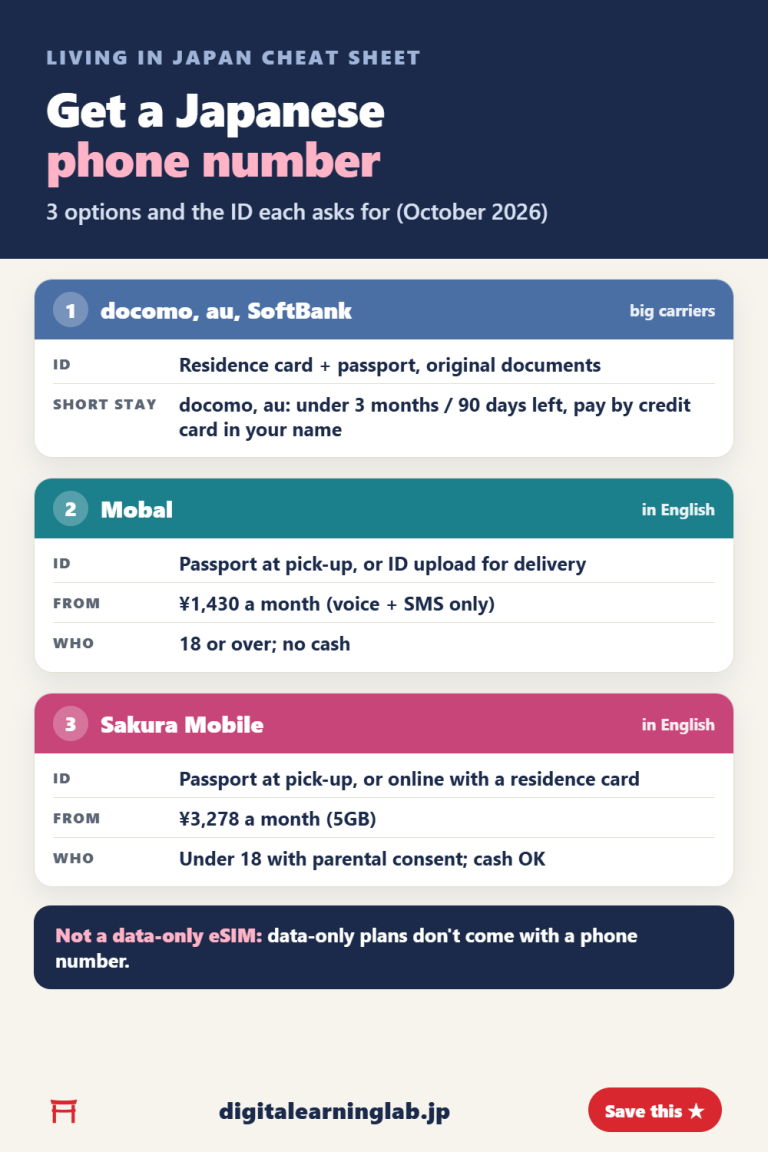
This guide covers home internet only. For a Japanese phone number, see our guide to Sakura Mobile’s monthly SIM and eSIM plans.
Final thoughts
Sakura Mobile’s home internet starts at ¥7,678 a month for both Home WiFi and Fiber 1 Gbps. Home WiFi is ready as soon as it arrives and needs nothing but a power outlet; fiber takes up to a month and an installation, but gives a steadier connection. Before you apply, check which ID you have for your address, and remember the 25th-of-the-month deadline when you plan your move or your flight home.
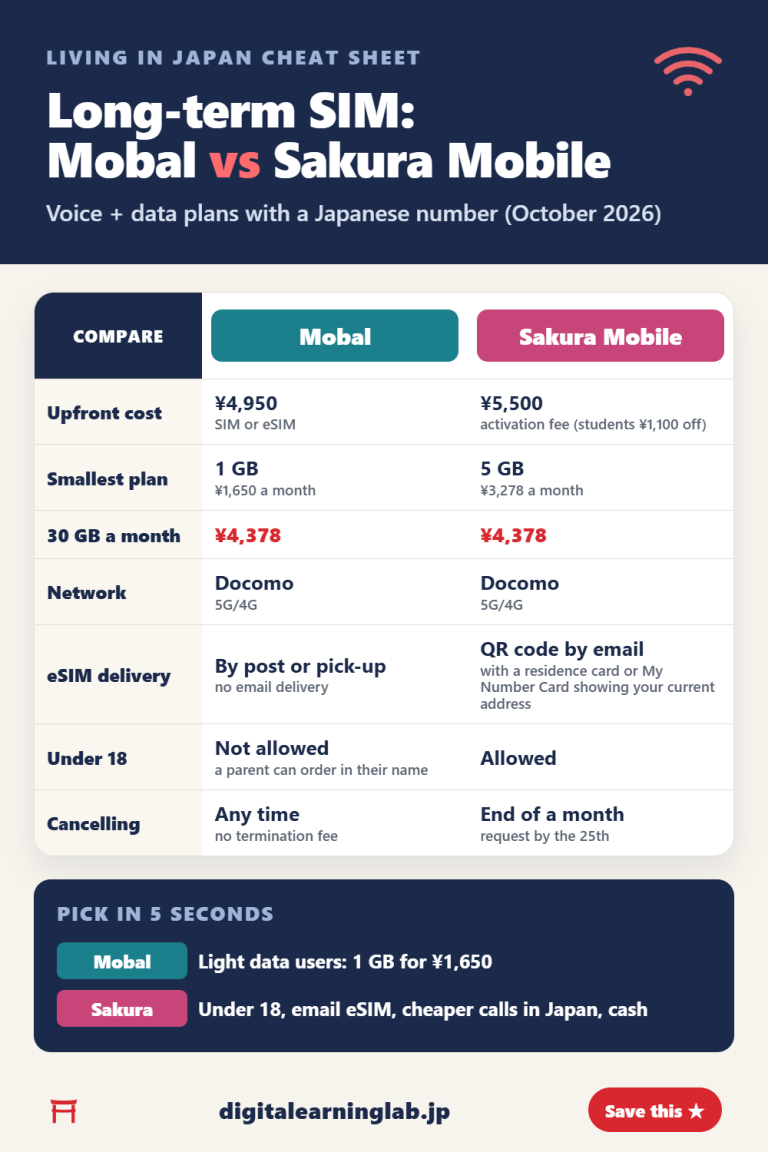
Comparing phone plans too? Our Mobal vs Sakura Mobile comparison covers monthly SIMs for living in Japan.